
Beltchecker Events
Plan, sell and run your seminar or camp, free
A full admin for your event from start to finish: Tickets and payments, attendees, the schedule, check-in at the door, the checklist and budget, and a website for it.
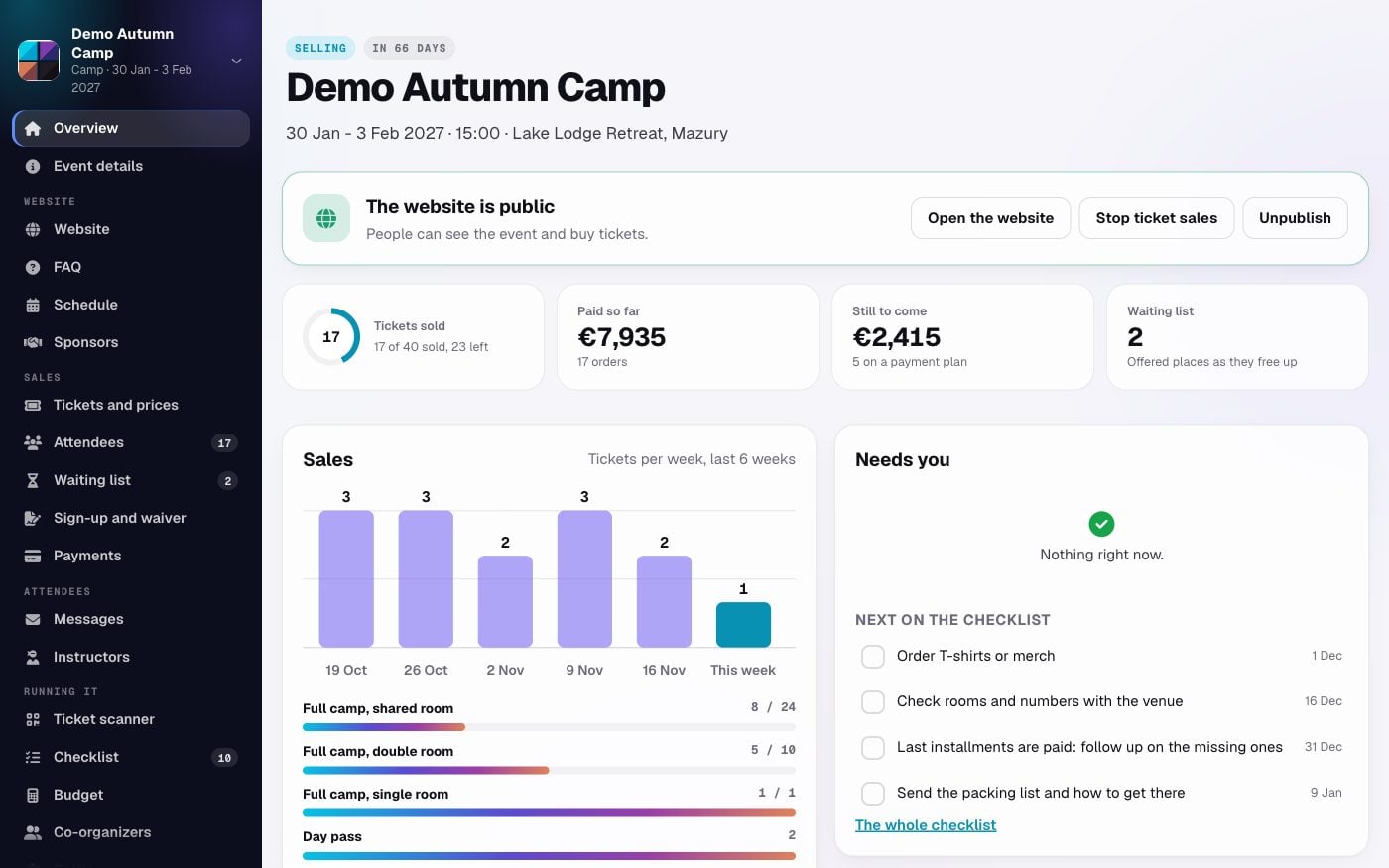
Tickets sold, money in, places left and what needs you today, like an installment that failed or a task that is overdue.
Tickets and payments
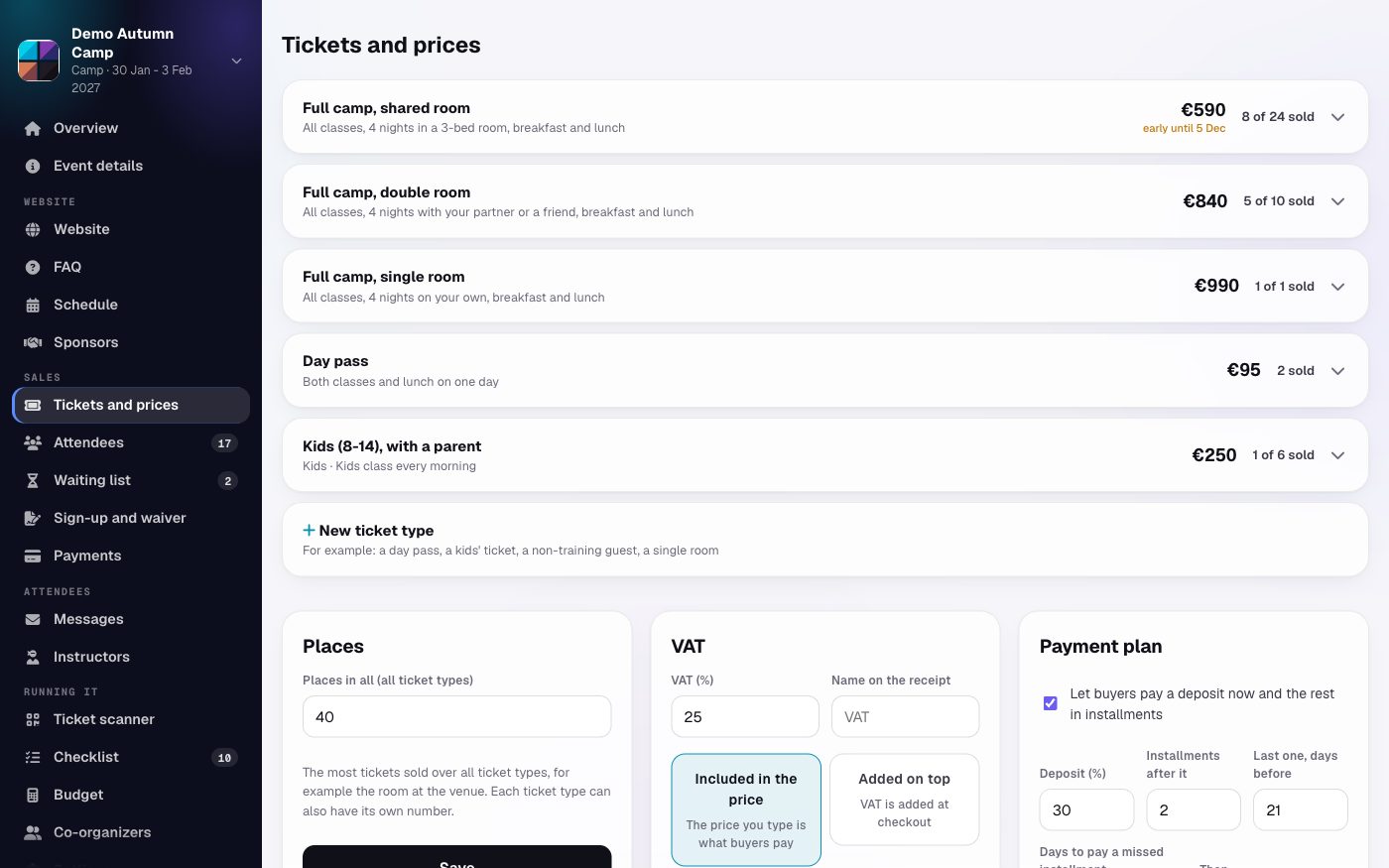
Ticket types, early prices, member prices, discount codes and payment in installments. Card payments go straight to your own Stripe account. Or let people pay your own way, by bank transfer or cash, and mark them paid. When it is full, a waiting list offers places by itself as they open up.
Attendees, questions and the waiver
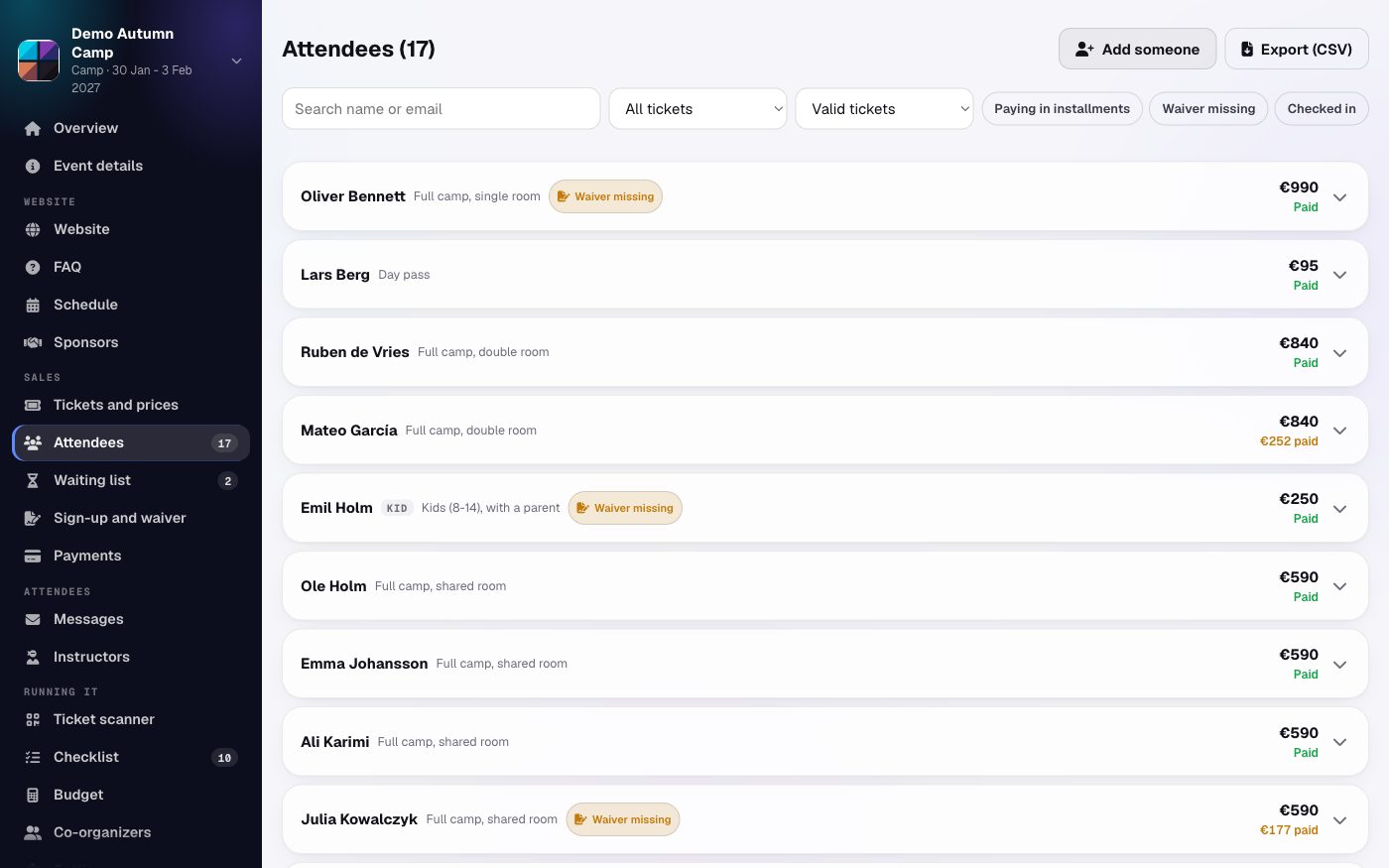
Everyone with a ticket, what they answered when they signed up (size, diet, belt), who has signed the waiver and who still owes money. Kids are signed up by a parent. Send a message to everyone, or to one ticket type.
The schedule
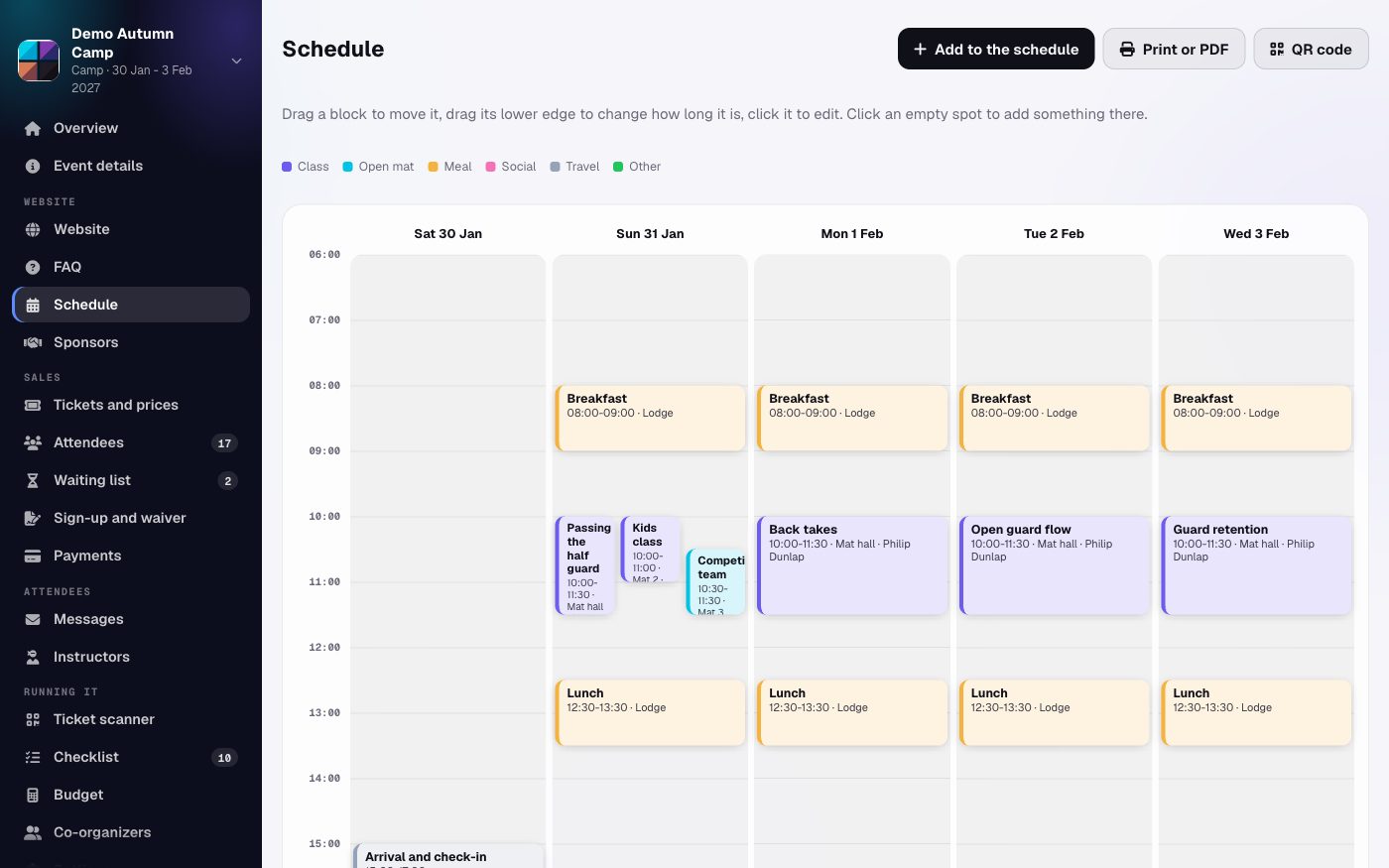
Drag classes into the days, with mats side by side and the instructor on each. A printable PDF with a QR code, and a version for the phone that updates when you change something.
Check-in at the door
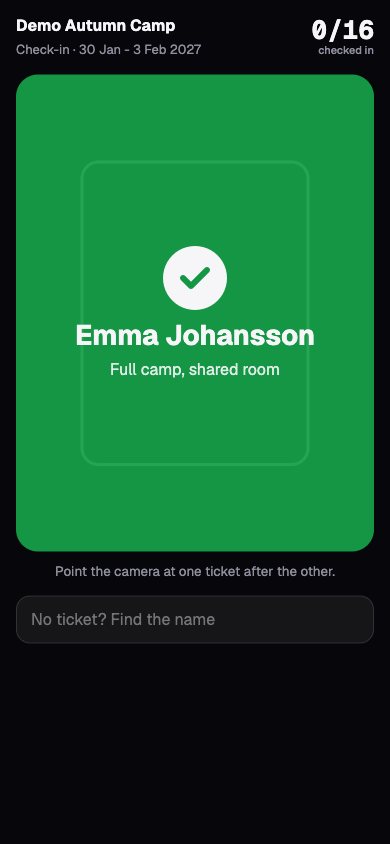
Open the scanner on any phone with a link, no login needed, so a helper can do it. Every ticket has a QR code, in the mail and in Apple Wallet or Google Wallet. Find a name by hand when someone forgot theirs.
Checklist, budget and your team
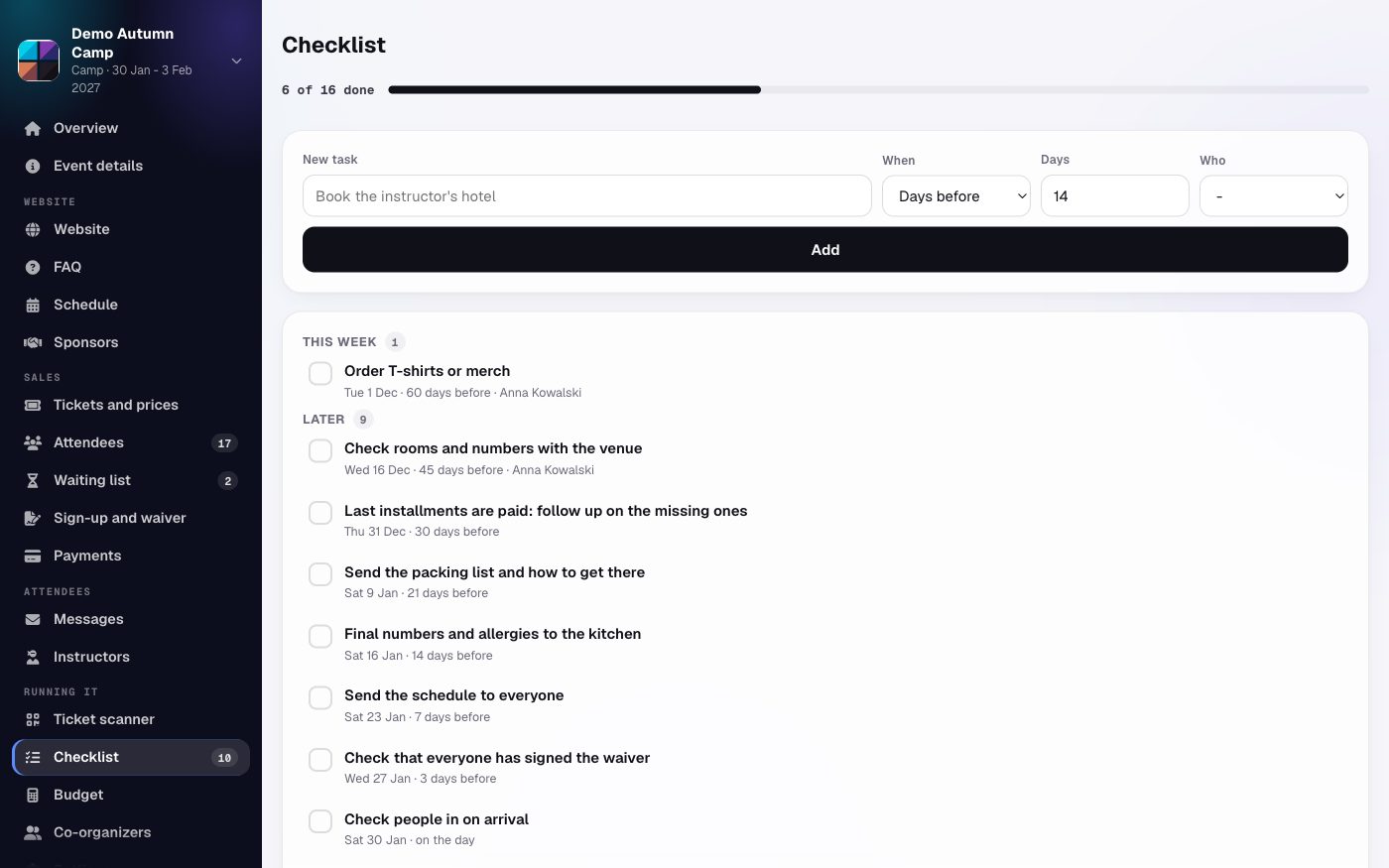
A checklist with deadlines and who does what, a budget with what comes in and goes out, and co-organizers with their own access. Copy the whole event to next year in one go.
A website for the event
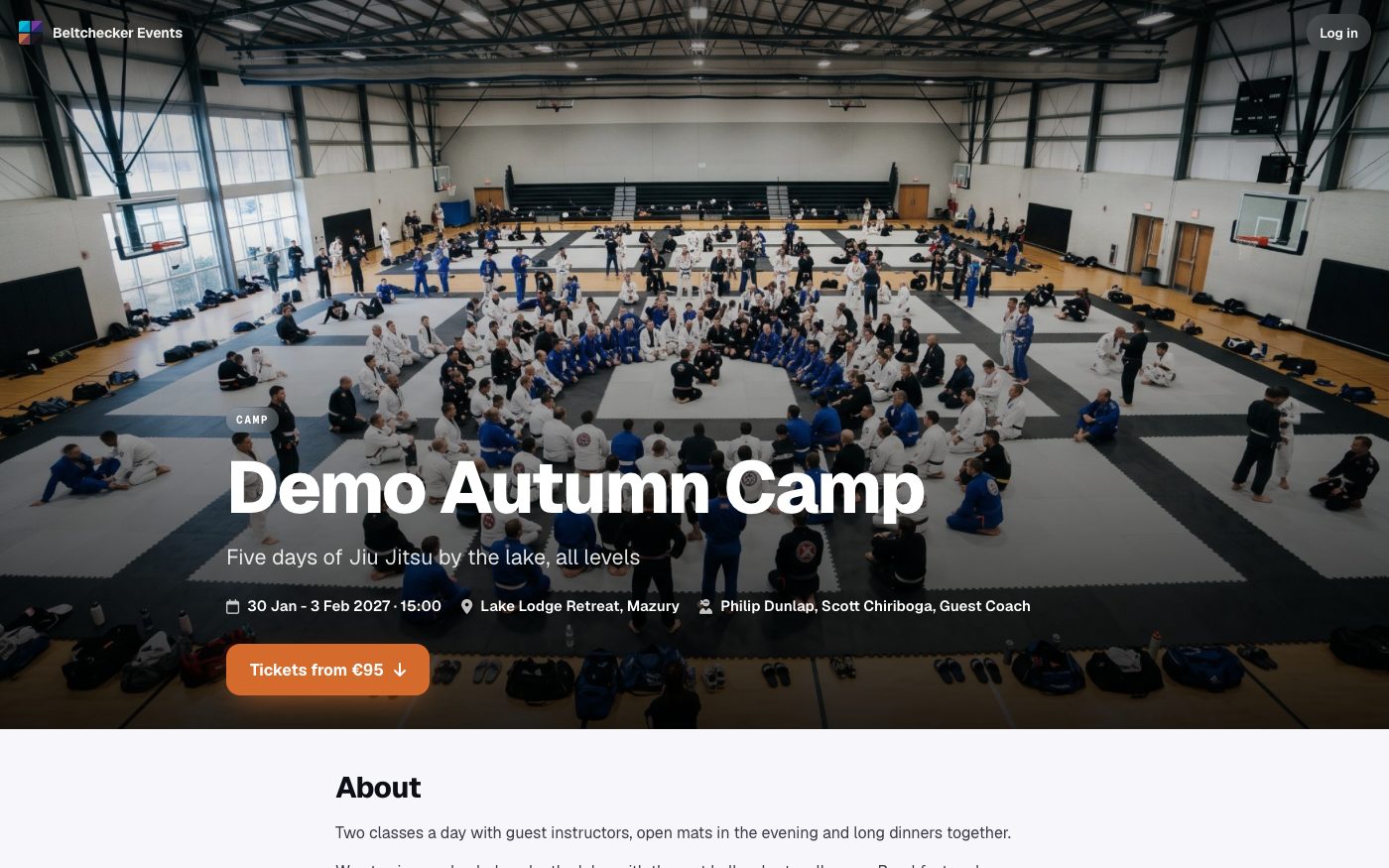
Cover photo, poster, the program, instructors with their belts, the venue on a map, FAQ and photos. On its own address: A name on beltchecker.com, or your own domain. It looks good when shared, and Google can show the date and the price.
Seen by the people who train near you
Your event shows on Beltchecker to members near it, under Events near you on their front page and on the events map, and among Upcoming events. When someone says they are going, their friends hear about it. Search engines find the event page too.
For the people coming
Tickets come with a QR code in the mail, as a picture, and in Apple Wallet or Google Wallet. Members of Beltchecker find them under My tickets, can say they are going and see which friends are going.


What it costs
- Free to use. No monthly fee, no fee per ticket.
- 1 % on card payments, taken through your own Stripe account. Stripe's own fee is separate.
- Nothing on payments you take your own way, like bank transfer or cash.
- The money goes straight to you. Beltchecker never holds it.
Questions
What does Beltchecker Events cost?
It is free to use: No monthly fee and no fee per ticket. On card payments Beltchecker takes 1 %, through your own Stripe account, and Stripe's own fee is separate. Payments you take your own way, like bank transfer or cash, cost nothing.
Can I sell tickets for my seminar or camp?
Yes. Make ticket types with early prices, member prices, discount codes and payment in installments. People pay by card on the event page, and the money goes straight to your own Stripe account. When it is full, a waiting list offers places by itself as they open up.
Do I need a Stripe account?
Only for card payments, since they go straight to your own account and Beltchecker never holds the money. Without Stripe, let people pay by bank transfer or cash and mark them paid in the admin.
Does my event get its own website?
Yes. A page with the cover photo, the program, the instructors with their belts, the venue on a map, FAQ and photos, on a name at beltchecker.com or your own domain. Search engines can show the date and the price.
How does check-in work?
Every ticket has a QR code in the mail and in Apple Wallet or Google Wallet. Open the scanner on any phone with a link, no login needed, so a helper can do it, or find a name by hand.
Can I run a camp over several days?
Yes. Drag classes into the days with mats side by side and the instructor on each, and print the schedule as a PDF with a QR code. Attendees see the same schedule on their phones, and it updates when you change something.
Can kids sign up?
Yes. A parent signs up a child and signs the waiver for them.



