
Welcome to support forum
Feel free to post any questions you have about using the site, verification, technical support, bugs, suggestions, etc. We are here to help! :)
Password change?
2 year(s) ago • 95 views • 5 replies
 JC
JCPurple beltVerified

2 year(s) ago
Maybe I'm just blind and have looked right over it, but where is the button to change my password? I get a security warning that it's been compromised every time I log in.
 JA
JABlack beltVerified
2 year(s) ago
The easiest way to do this is as follows....
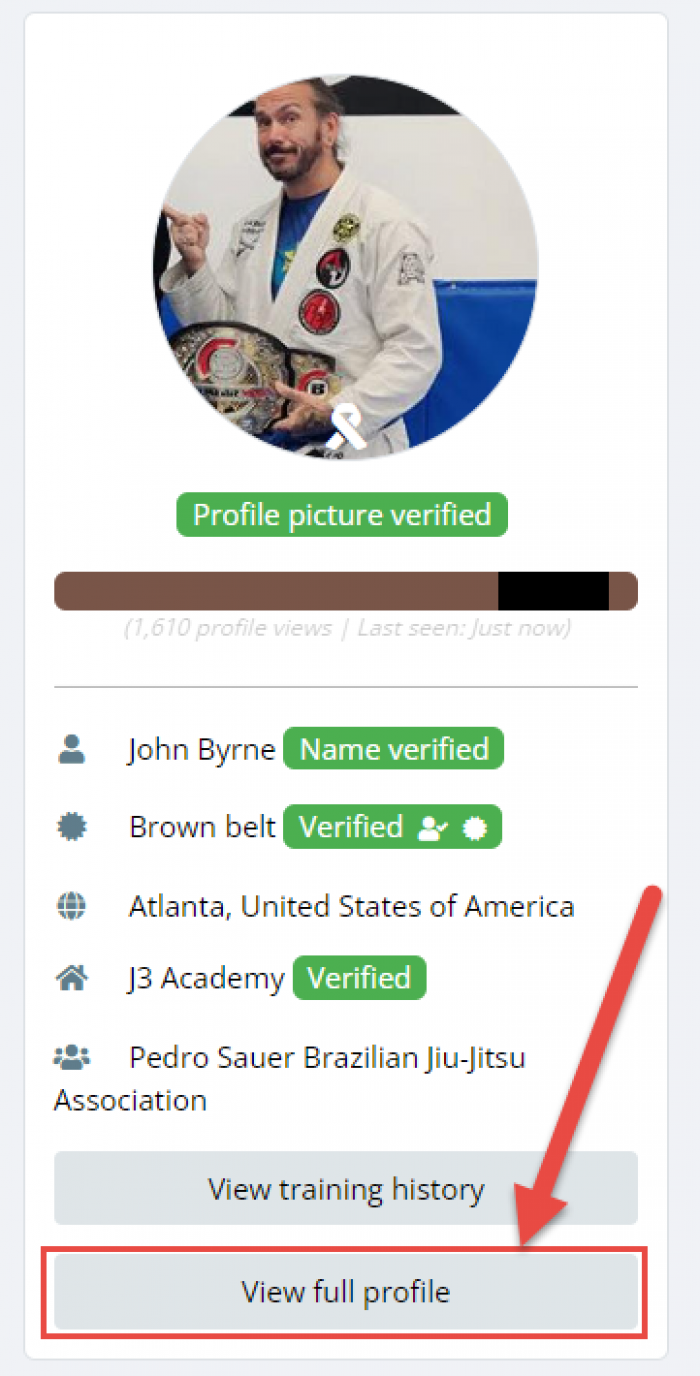
1. Click the View Full profile button on main screen under your photo.
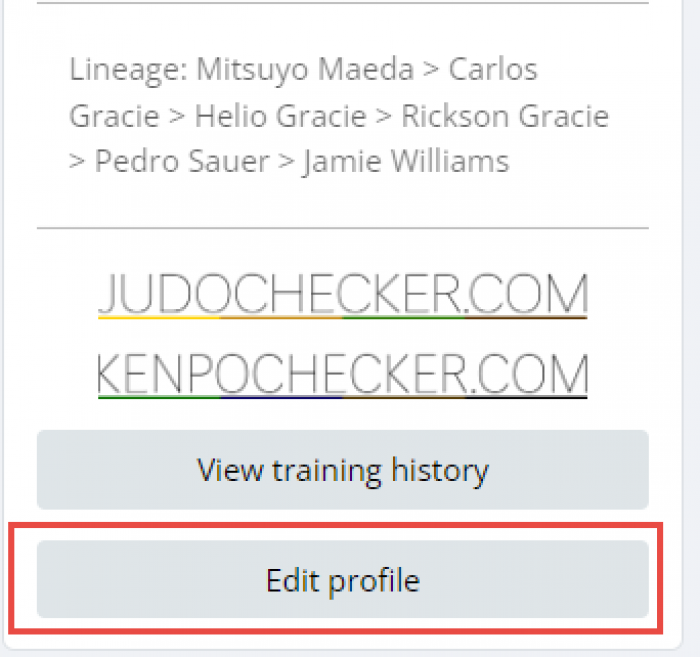
2. Scroll down till you see the Edit Profile button
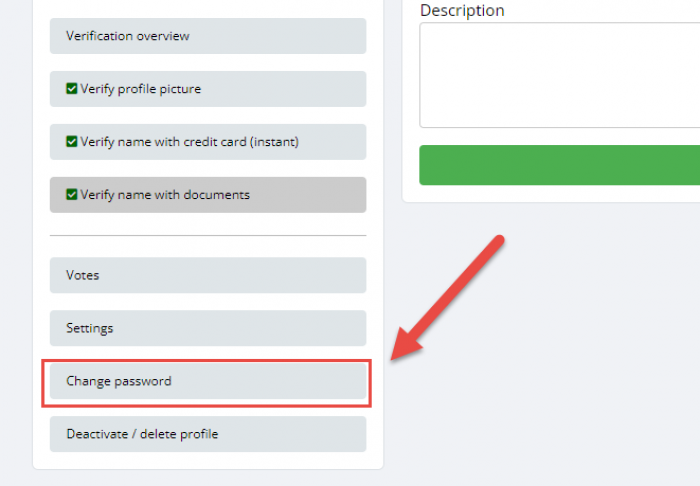
3. In your profile scroll all the way down to Change Password button.
1. Click the View Full profile button on main screen under your photo.
2. Scroll down till you see the Edit Profile button
3. In your profile scroll all the way down to Change Password button.
Edited 2 year(s) ago
JABlack beltVerified
 JA
JABlack beltVerified
 JA
JABlack beltVerified
 JC
JCPurple beltVerified
2 year(s) ago
Thank you.



