
Welcome to support forum
Feel free to post any questions you have about using the site, verification, technical support, bugs, suggestions, etc. We are here to help! :)
Public Profile Blur Client Done Client-side.
2 month(s) ago • 53 views • 1 replies
 DU
DUBlack beltVerified
2 month(s) ago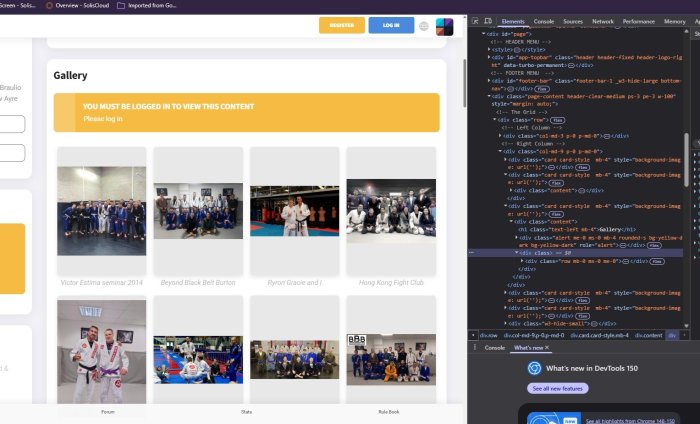
Good day,
I just decided to look at the share you profile link option and decided to open it Brave Browser.
I noticed the blur appeared to be added client side and not server side, as this would probably save a lot of overheads. If bluring real data instead of just using place holders.
I stated buy turning of javascript and that did nothing so I decided it must just be a stright CSS blur. So I drilled down the HTML to the correct div and found a class "blur". I removed the class from the div and all data was revealed.
Personally I would like to have check box which decided which areas are shown, and which are replaced with placeholders if possible.
I just decided to look at the share you profile link option and decided to open it Brave Browser.
I noticed the blur appeared to be added client side and not server side, as this would probably save a lot of overheads. If bluring real data instead of just using place holders.
I stated buy turning of javascript and that did nothing so I decided it must just be a stright CSS blur. So I drilled down the HTML to the correct div and found a class "blur". I removed the class from the div and all data was revealed.
Personally I would like to have check box which decided which areas are shown, and which are replaced with placeholders if possible.
 W
WPinkVerifiedPlanet Earth
2 month(s) ago
The blur is just for users who are not logged in. It's not really secret stuff, they can just register or log in to see it. Which is probably a lot less work than digging through the HTML code 😄
