
Rules for main forums
- Be nice
- No advertisement
- No events
- No fundraisers
- No topics asking for votes
- Only posts related to Brazilian Jiu Jitsu
NEW: The official Beltchecker analog playing cards
6 year(s) ago • 6021 views • 27 replies
 W
WPinkVerifiedPlanet Earth
6 year(s) ago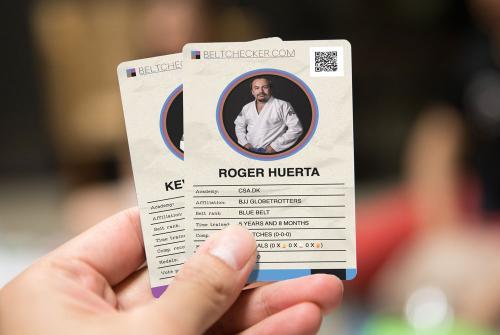
This idea was floating around in the forum here a while back, and today I finally managed to build it!
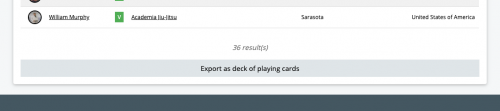
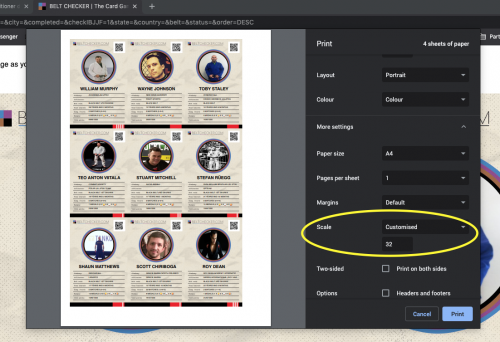
Go to the search page (https://beltchecker.com/search.php) and perform a search with any criteria of your liking. At the bottom, you'll now find a button saying "Export as deck of cards", which will generate a ready-to-print page of playing cards. You just need to adjust "scale" in your print dialog box to determine how many cards you want on each page.
Cut them out with scissors and you have a deck of playing cards to keep you entertained while we wait for the world to stop burning. How about a game of affiliation vs. affiliation, academy vs. academy, countries vs. each other or IBJJF verified black belts vs. non-IBJJF verified black belts? The possibilities are endless :D
Here's a 30 second video on how to play: https://www.youtube.com/w[...]RNtB--oGiw
Have fun!!
Go to the search page (https://beltchecker.com/search.php) and perform a search with any criteria of your liking. At the bottom, you'll now find a button saying "Export as deck of cards", which will generate a ready-to-print page of playing cards. You just need to adjust "scale" in your print dialog box to determine how many cards you want on each page.
Cut them out with scissors and you have a deck of playing cards to keep you entertained while we wait for the world to stop burning. How about a game of affiliation vs. affiliation, academy vs. academy, countries vs. each other or IBJJF verified black belts vs. non-IBJJF verified black belts? The possibilities are endless :D
Here's a 30 second video on how to play: https://www.youtube.com/w[...]RNtB--oGiw
Have fun!!
WPinkVerifiedPlanet Earth
 W
WPinkVerifiedPlanet Earth
 B
BBlack belt 3rd degreeVerified

6 year(s) ago
Very Cool!!
 SC
SCBlack belt 3rd degreeVerified
 AR
ARBlack beltVerified
6 year(s) ago
Nice!
 BW
BWBlack belt 1st degreeVerified
6 year(s) ago
I had to make sure "background graphics" button was pressed in the chrome print dialog for them to come out right ;)
 CG
CGBlack belt 4th degreeVerified
6 year(s) ago
I had to make sure 'background graphics' button was pressed in the chrome print dialog for them to come out right ;)
Ah yes maybe I should add that to the printing comment.
I’m excited to hear from anyone who have been trying to play! :) :)
I’m excited to hear from anyone who have been trying to play! :) :)
ARBlack beltVerified
6 year(s) ago
I was going to print out all purple belts, but I realized that I am just so overwhelmingly superior, that there's no point... ;)
CGBlack belt 4th degreeVerified
6 year(s) ago
I was going to print out all purple belts, but I realized that I am just so overwhelmingly superior, that there's no point... ;)
If people play points only, then you're like the joker of purple belts in this game :D
 VC
VCBlack belt 3rd degreeVerified
6 year(s) ago
Great idea
BWBlack belt 1st degreeVerified
6 year(s) ago
haha this is actually convincing more of my team to sign up!
 BB
BBBlack beltVerified
 HC
HCPurple beltVerified
6 year(s) ago
That would be awesome having our sensei's fighting in a card game
 DK
DKBlue beltVerified
6 year(s) ago
neat! what decides what the "higher stat" is? by the looks of the cards, theyre almost like the verified rank cards, in that there are no stats that would dictate how one beats the other lol
i get it tho, nobody wants to be the low man on the card game totem pole lol
i get it tho, nobody wants to be the low man on the card game totem pole lol
CGBlack belt 4th degreeVerified
6 year(s) ago
what decides what the "higher stat" is? by the looks of the cards, theyre almost like the verified rank cards, in that there are no stats that would dictate how one beats the other lol
Not sure exactly what you mean exactly? You just call either highest belt rank, most time trained, most matches (or most wins), most medals (or most of medal type) or vote points. Highest of any of these wins the opponents card.
You could also be creative and call for instance highest/lowest user ID, or anything else from the profiles. Just gotta scan the QR code on the card to open it :)
You could also be creative and call for instance highest/lowest user ID, or anything else from the profiles. Just gotta scan the QR code on the card to open it :)
Edited 6 year(s) ago
 AA
AABrown beltVerified
6 year(s) ago
This idea was floating around in the forum here a while back, and today I finally managed to build it! Go to the search page (https://beltchecker.com/search.php) and perform a search with any criteria of your liking. At the bottom, you'll now find a button saying 'Export as deck of cards', which will generate a ready-to-print page of playing cards. You just need to adjust 'scale' in your print dialog box to determine how many cards you want on each page. Cut them out with scissors and you have a deck of playing cards to keep you entertained while we wait for the world to stop burning. How about a game of affiliation vs. affiliation, academy vs. academy, countries vs. each other or IBJJF verified black belts vs. non-IBJJF verified black belts? The possibilities are endless :D Here's a 30 second video on how to play: https://www.youtube.com/w[...]RNtB--oGiw Have fun!!
nice idea
CGBlack belt 4th degreeVerified
6 year(s) ago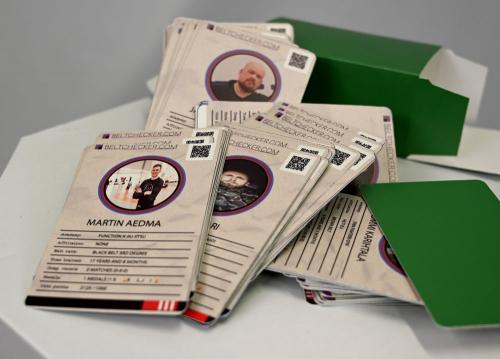
Check out this deck of cards with Finnish profiles printed by Hannu! https://beltchecker.com/p[...]php?id=224 :D
 AS
ASBlack beltVerified
 CH
CHBlack beltVerified
6 year(s) ago
I was very sceptical, but these are great! Kudos!
 JE
JEWhite beltVerified
6 year(s) ago
Do you print then on glossy paper to get a nice result?
Also, the profile pictures seems stretched horizontally when you export as cards. Am I doing something wrong?
Also, the profile pictures seems stretched horizontally when you export as cards. Am I doing something wrong?
CGBlack belt 4th degreeVerified
6 year(s) ago
Do you print then on glossy paper to get a nice result? Also, the profile pictures seems stretched horizontally when you export as cards. Am I doing something wrong?
pictures are resized to fit a square/circle, it is not possible for us to automatically crop them and make sure the face is visible in the circle :)
JEWhite beltVerified
6 year(s) ago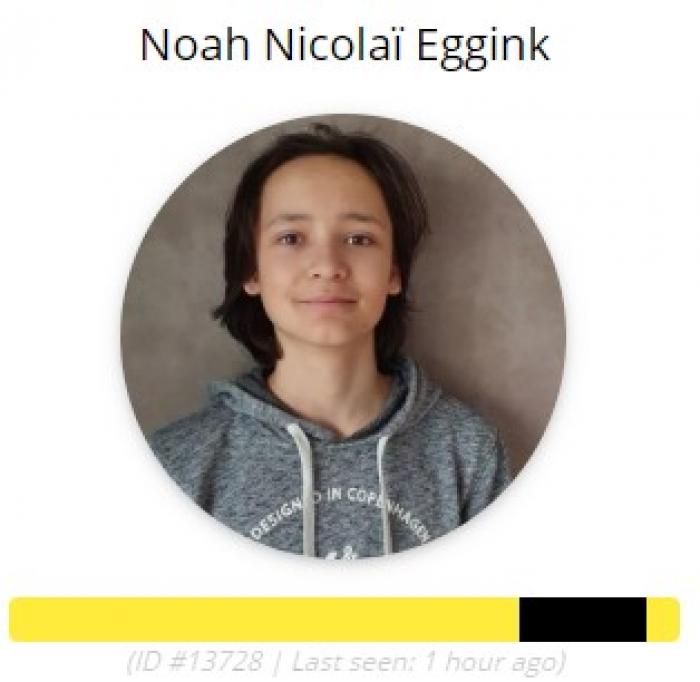
Not sure if I explain it correctly. This is my sons profile picture:
Edited 6 year(s) ago
JEWhite beltVerified
6 year(s) ago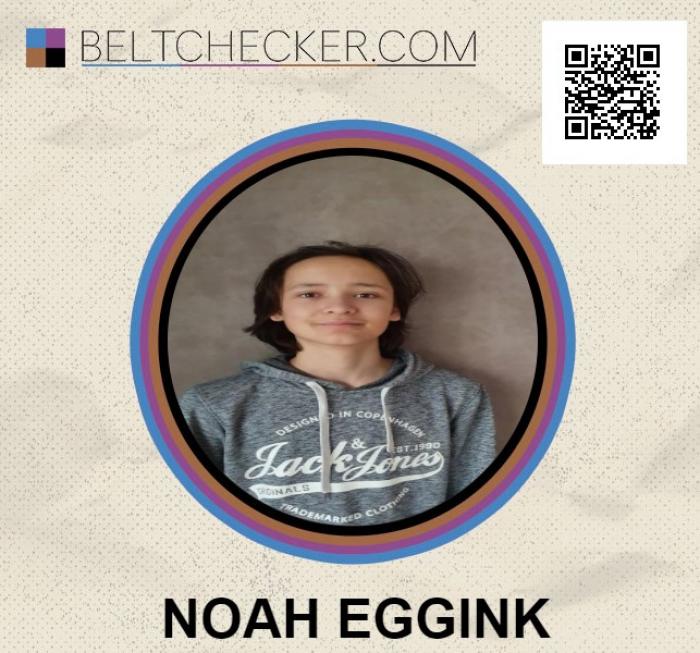
And this is the picture on the card. They are both in circles. Why are they cropped / adjusted differently?
Edited 6 year(s) ago
CGBlack belt 4th degreeVerified
6 year(s) ago
And this is the picture on the card. They are both in circles. Why are they cropped / adjusted differently?
It's two different ways of rendering the image for print/screen, [insert too long technical explanation here]. The card game is really just a small little thing I made in an afternoon and don't have a lot of time to put into, you gotta live with it not being perfect ;)
If you want it to look the same, just upload a square image file as profile picture and there will be no stretching of proportions
If you want it to look the same, just upload a square image file as profile picture and there will be no stretching of proportions
JEWhite beltVerified
6 year(s) ago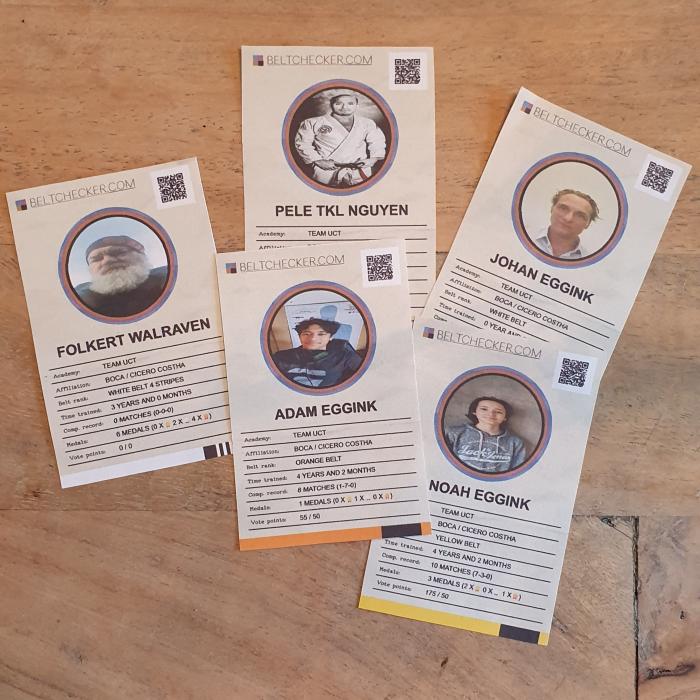
Thanks for the explanation. I wanted to be sure I am not doing something wrong on my end. :)
They are fun though
They are fun though
CGBlack belt 4th degreeVerified
6 year(s) ago
Glad to see they're being used, I think it's one of my favorite hidden features of beltchecker :D
 GL
GLPurple beltVerified
5 year(s) ago
How do I save them as images so that I can HAVE them printed? When I click save image I only same the profile picture. (Using Safari.) When I control print- save as pdf.... the size is wrong I need 92.5% but can't do point percentages. and still then they have boarders.
So..... any way to download the image itself?
peace!
So..... any way to download the image itself?
peace!
CGBlack belt 4th degreeVerified
5 year(s) ago
How do I save them as images so that I can HAVE them printed? When I click save image I only same the profile picture. (Using Safari.) When I control print- save as pdf.... the size is wrong I need 92.5% but can't do point percentages. and still then they have boarders. So..... any way to download the image itself? peace!
No you can not download them as images, the pages is HTML generated. You're going to have to be a bit flexible with your scissor work and print them in 92% then :)
Alternatively you can screenshot the page / cards and then you'll have them as images, of course.
Alternatively you can screenshot the page / cards and then you'll have them as images, of course.
 RL
RLPurple beltVerified
5 year(s) ago
This is really cool!



